ChatGPT vs. Gemini: 7 Surprising Ways They See the World Differently
ChatGPT vs. Gemini compared on real-world visual understanding, from photo analysis to live camera use. Here's what stands out.
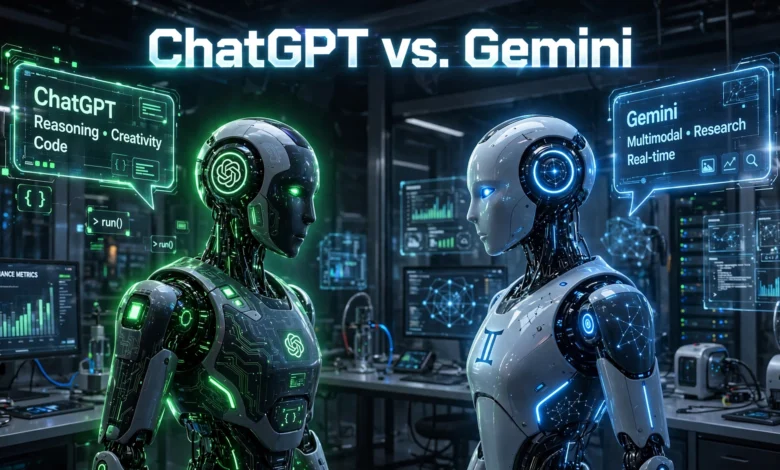
ChatGPT vs. Gemini comparisons usually focus on writing quality or coding skill, but there’s a quieter competition happening in the background: which chatbot actually understands what it sees. Both tools can now look at a photo, a screenshot, or even a live camera feed and tell you something useful about it. That sounds simple, but the gap between “recognizing an object” and “understanding a scene” is bigger than most people realize.
If you’ve ever pointed your phone at a plant to check if it’s dying, snapped a photo of a confusing error message, or asked an AI to read a menu in a language you don’t speak, you’ve already tested this kind of visual reasoning without thinking much about it. ChatGPT’s vision features come from OpenAI’s multimodal models, while Gemini’s come from Google’s own multimodal system, and each one was built with different strengths in mind.
This article breaks down how the two chatbots handle image understanding, live video, document reading, and everyday visual tasks, so you can figure out which one actually fits how you plan to use it. We’ll look at real use cases, not just marketing claims, and point out where each one tends to fall short.
What “Seeing the World” Actually Means for an AI Chatbot
Before comparing the two, it helps to define the term. When people say a chatbot can “see,” they usually mean one of three things:
- Static image analysis — uploading a photo and asking questions about it
- Live visual interaction — pointing a camera at something in real time and getting spoken or written feedback
- Document and screen understanding — reading text, charts, or layouts inside an image
Both ChatGPT and Gemini support all three to varying degrees, but the quality and consistency differ depending on the task. Neither one is uniformly better across the board, which is exactly why a side-by-side look matters.
1. Static Image Recognition and Description
This is the most basic test, and also the one both chatbots handle reasonably well. Upload a photo, ask what’s in it, and get a description back.
ChatGPT tends to give more structured, almost analytical descriptions. It’s good at breaking an image into components, identifying objects methodically, and cross-referencing details you might not have asked about directly. If you upload a photo of a car engine, for example, it will often name specific parts and flag anything that looks unusual.
Gemini, built on Google’s deep pool of visual and web data, tends to be faster at connecting an image to real-world context. Point it at a landmark, a product, or a plant, and it’s often quicker to identify the specific item rather than just describing generic features. This comes from Google’s long history with image search and its Lens technology, which now feeds into Gemini’s broader visual reasoning.
Practical takeaway:


- Use ChatGPT when you want a detailed breakdown of what’s happening in an image
- Use Gemini when you need fast, specific identification of a real-world object or place
2. Reading Text Inside Images (OCR and Document Understanding)
Optical character recognition used to be a separate tool entirely. Now it’s baked into both chatbots’ vision systems, and this is where the differences get more noticeable.
ChatGPT handles handwritten notes, complex tables, and messy scans surprisingly well. It can often reconstruct a table’s structure even when the image quality is poor, which makes it useful for digitizing old receipts, forms, or handwritten recipes.
Gemini shines with printed text and documents that follow a cleaner layout, like PDFs, slides, or screenshots of spreadsheets. Because it’s tied into Google’s broader ecosystem, including Google Docs and Sheets, it can sometimes carry that extracted information directly into other Google Workspace tools, which ChatGPT can’t do natively.
If your work involves messy paperwork and handwriting, ChatGPT usually has the edge. If it involves clean digital documents you want to move into a spreadsheet or doc, Gemini’s ecosystem integration wins out.
3. Live Camera and Real-Time Visual Interaction
This is where things get more interesting, and where the technology is still clearly evolving.
ChatGPT’s voice mode allows live camera sharing, meaning you can point your phone at something and talk through it in real time, almost like a video call with an assistant. It’s been demoed doing things like helping someone practice a language by reacting to objects in the room, or walking through a math problem written on paper.
Gemini Live offers a similar real-time camera and screen-sharing feature, and it tends to integrate more smoothly with Android devices since it’s built by the same company. If you’re on a Pixel phone or another Android device, this integration can feel more native, with fewer permission hoops and less lag switching between camera and chat.
Neither system is perfect yet. Both can misidentify objects in low light, struggle with fast movement, or lose context if you switch what you’re looking at too quickly. But this is genuinely one of the most active areas of development for both companies right now, and it’s worth checking each app’s release notes periodically since capabilities shift fast.
4. Chart, Graph, and Data Visualization Interpretation
If you work with spreadsheets, reports, or dashboards, this comparison matters more than it might seem at first.
ChatGPT is generally strong at interpreting complex charts, especially when you ask follow-up questions like “why did this line spike in March” or “what’s the trend across these three categories.” It can reason through the data almost like an analyst would, connecting patterns across multiple charts in the same conversation.
Gemini performs well on simpler charts and is particularly good when the chart came from a Google Sheets export, since it recognizes common formatting patterns from that ecosystem. For highly customized or unconventional chart designs, it can occasionally misread axis labels or legends that ChatGPT catches correctly.
Bullet summary for data-heavy tasks:
- Complex, multi-layered charts → ChatGPT tends to reason through them more reliably
- Simple, standard business charts from Google tools → Gemini handles them efficiently
- Both can make mistakes with unusual color coding or overlapping data points, so double-check anything high-stakes
5. Everyday Practical Use Cases
Beyond the technical breakdown, most people want to know which chatbot actually helps with daily tasks. Here’s how they stack up in common situations:
Identifying Plants, Food, or Products
Gemini generally has an advantage here, thanks to Google’s massive image indexing history. Ask it to identify a plant, a dish at a restaurant, or a product on a shelf, and it often comes back with a more specific and accurate answer faster.
Troubleshooting Tech Problems from a Screenshot
ChatGPT tends to do better with technical screenshots, error messages, and code snippets shown in images. Its reasoning style suits step-by-step troubleshooting, where it walks through possible causes methodically.
Fashion, Design, or Visual Feedback
Both chatbots can comment on outfits, room layouts, or design mockups, but ChatGPT tends to give more nuanced, conversational feedback, while Gemini leans toward factual, feature-based observations.
Reading Handwriting
ChatGPT again has a slight edge with messy or cursive handwriting, likely due to how its training data was structured around varied text recognition tasks.
6. Accuracy and the Problem of AI Hallucination in Vision Tasks
No comparison of ChatGPT vs. Gemini would be complete without addressing accuracy honestly. Both models can hallucinate, meaning they sometimes describe something in an image that isn’t actually there, or misidentify a specific detail with total confidence.
This tends to happen more often with:
- Low-resolution or heavily compressed images
- Photos with unusual angles or partial occlusion
- Small text in busy backgrounds
- Objects that look similar to something more common (a rare plant misidentified as a common one, for example)
Neither company claims perfect accuracy, and both have published safety and limitations documentation acknowledging this. For anything with real consequences, like identifying a potentially poisonous plant or reading a medical document, treat the chatbot’s answer as a starting point, not a final verdict. According to OpenAI’s own guidance on GPT-4 with vision, the system can make mistakes interpreting images and shouldn’t be used for high-stakes decisions without human verification, a caution worth taking seriously regardless of which chatbot you use.
7. Integration with Other Tools and Ecosystems
This last point isn’t strictly about visual accuracy, but it affects how useful each chatbot’s vision features feel in practice.
ChatGPT works as a more standalone tool. It doesn’t tie directly into a specific operating system or productivity suite, which makes it flexible across devices but means extracted information often has to be copied manually into wherever you need it next.
Gemini is deeply woven into Google’s ecosystem: Android, Gmail, Docs, Sheets, and Photos. If you already live inside Google’s tools, this integration can save real time, letting you move from “identify this chart” to “put this data into a spreadsheet” in far fewer steps.
Google’s own documentation on Gemini’s multimodal capabilities outlines how the model was trained across text, images, audio, and video simultaneously, which is part of why its integration across formats feels more unified within Google’s own products.
Which One Should You Actually Use?
There’s no single winner here, and that’s a fair conclusion rather than a dodge. The right choice depends on what you’re doing:
- Choose ChatGPT if you frequently work with messy documents, handwritten notes, complex data reasoning, or want more conversational, detailed feedback on images
- Choose Gemini if you’re already using Google’s ecosystem, need fast identification of real-world objects, or want smoother integration with Android and Workspace tools
- Use both if you can, since many people now keep both apps installed and switch depending on the task, similar to how people keep multiple browsers for different purposes
It’s also worth remembering that both companies update their vision capabilities frequently. A gap that exists today might close within a few months, so it’s worth revisiting this comparison periodically rather than treating it as a permanent verdict.
Conclusion
ChatGPT vs. Gemini isn’t a contest with one clear champion when it comes to visual understanding, it’s a matter of matching the right tool to the right task. ChatGPT tends to excel at detailed reasoning, messy handwriting, and technical troubleshooting from screenshots, while Gemini stands out for fast real-world object identification and seamless integration across Google’s ecosystem. Both chatbots still make mistakes, particularly with low-quality images or unusual visual details, so neither should be treated as infallible for high-stakes situations. For most people, the smartest approach is understanding each tool’s strengths and picking accordingly, or simply keeping both on hand for the moments when one clearly outperforms the other.